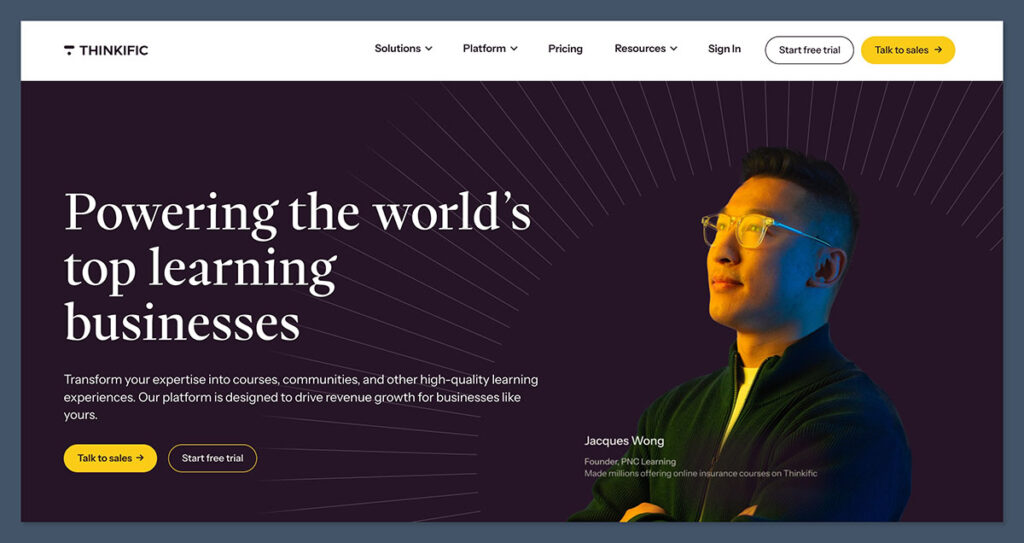
Thinkific is a well-established course platform that’s picked up a loyal following among educators and training businesses — but it’s also gone through some significant changes lately, including dropping its free plan and nudging its pricing upward.
Whether it’s still the right call depends a lot on what you actually need from a course platform.
In this review, I’ll walk through Thinkific’s pricing, course tools, community features, and where it falls short, so you can weigh it up against the alternatives without having to take the marketing at face value.
Why You Can Trust This Review
We’ve spent considerable time hands-on with Thinkific — building course structures, testing the AI content tools, running through the checkout flows, and comparing feature sets across plan tiers.
Our recommendations are based on direct testing, not sponsored claims, so you get an honest picture of where Thinkific excels and where it falls short.
Thinkific Pros & Cons
Best for: Educators, coaches, and training businesses who want a learning-first platform with strong course delivery, community tools, and built-in payments.
Pricing: $49–$199/month (billed monthly); 30-day free trial available
What I Like
- One of the strongest course-building toolsets on the market, with AI-assisted content creation, drag-and-drop lessons, and built-in video hosting
- TCommerce/Thinkific Payments handles checkout natively — no need for Stripe hacks or external cart software
- Community tools are genuinely integrated with courses, not bolted on as an afterthought
- Scales from solo creator to enterprise with SSO, SCORM, CRM integrations, and multi-site management on Plus
What I Dislike
- The free plan has been removed — you now need to commit to a paid tier after the 30-day trial
- Marketing automation is limited compared to all-in-one tools like Kajabi; most creators will still need an external email platform
- Key features like certificates, assignments, and multiple communities are gated behind higher-priced plans
- SCORM support is only available on the custom-priced Plus plan, which is a real blocker for corporate training teams
- The branded mobile app costs an additional $199/month — it’s not bundled into any standard tier
My Experience With Thinkific
Getting started with Thinkific is straightforward. The onboarding asks you a few basic questions about your business type and what you plan to sell, then drops you into a clean dashboard with a step-by-step checklist to follow.
Unlike some platforms that overwhelm you on day one, Thinkific’s setup flow is well-paced and logical.
I was particularly impressed by how quickly I could get a course structure in place. The drag-and-drop builder supports video, text, audio, PDFs, quizzes, surveys, and assignments, and the AI course builder takes a lot of the blank-page anxiety out of the equation.
I typed in a topic, and within seconds I had a full course outline with module names, learning outcomes, and lesson drafts to work from.
The site builder side of things is clean and functional. You can build out a full course website with sales pages, landing pages, and a checkout flow — all without touching a separate hosting platform. Custom domains, theme control, and optional CSS give you enough flexibility to match your brand without needing a developer.
Where I noticed friction was in the marketing layer. Thinkific has email automation and landing page tools, but if you’re used to the funnel-building depth of something like Kajabi or ActiveCampaign, it feels underpowered. Most serious course creators I’ve spoken to still run an external email tool alongside Thinkific, which adds cost and complexity.
How Much Does Thinkific Cost?
Thinkific removed its free plan and now offers a 30-day free trial, with three public paid tiers and a custom-priced enterprise option. Annual billing saves 25% across all plans.
| Plan | Monthly (billed monthly) | Effective monthly (annual) | Best for |
|---|---|---|---|
| Basic | $49/month | $36/month | Early-stage creators who need unlimited courses and core tools |
| Start | $99/month | $74/month | Growing businesses needing memberships, certificates, and more admin seats |
| Grow | $199/month | $149/month | Established schools needing advanced sales tools and priority support |
| Plus | Custom | Custom | Larger training businesses and enterprise teams |
Is Thinkific Good Value for Money?
That depends heavily on what you’re comparing it to. Against Kajabi — which starts at $149/month — Thinkific’s Basic and Start plans look reasonable, especially given the depth of course tools included. But compared to newer competitors and some budget-friendly alternatives, Thinkific has crept upward in price, particularly once you factor in add-ons.
The removal of the free plan is the most significant pricing change in recent memory. Previously, solo creators could launch and validate a course at zero cost.
Now there’s a real financial commitment required before you know whether the platform suits your workflow. The 30-day trial is generous, but it does put pressure on the evaluation period.
I’d recommend starting on the Basic plan if you’re just launching. It includes unlimited courses and the core TCommerce tools, which is genuinely enough to start selling. You’ll likely want to upgrade to Start once you need certificates and assignment features, but there’s no reason to rush into Grow unless community depth and advanced sales tools are day-one priorities.
Course Creation and Content Tools
Thinkific’s course builder is the strongest argument for choosing the platform. It supports every content type you’d expect — video, audio, text, PDFs, presentations, quizzes, assignments, and file uploads — all managed through a clean visual interface.
Built-in HD video hosting removes the need for a separate Vimeo or Wistia account, with caption support, chapter markers, and download controls. That alone simplifies the tech stack for new creators significantly.
The AI tools go beyond basic content generation. You can create full course outlines, individual lesson drafts, quiz questions, worksheets, and learning outcome summaries, with options to adapt content to different learner levels.
For educators building comprehensive programs, this isn’t just a time-saver — it’s a meaningful improvement to the production process.
Assessment depth is solid: multiple-choice quizzes, marked assignments, file submissions, surveys, configurable passing scores, and retake controls are all available. Drip scheduling, compliance tools to prevent lesson skipping, and private/hidden courses require the Start plan or above, which is worth factoring in if those are non-negotiable for your course design.
Community and Engagement Features
Thinkific’s community tools have improved significantly and now represent a genuine differentiator against platforms that treat community as a checkbox feature.
Standalone communities include spaces and channels, live events, activity feeds, discussion threads, member profiles, mentions, and notifications.
Communities can be bundled with courses or sold as standalone memberships on higher plans — which opens up recurring revenue models that pure course platforms struggle to support cleanly.
The main limitation is plan-gating: Basic and Start plans allow only one community, Grow allows three, and unlimited communities are reserved for Plus. If building multiple distinct learning communities is central to your business model, you’ll need to plan your plan tier accordingly.
Payments, Sales, and Monetization
TCommerce — Thinkific’s native payments system — is one of the platform’s genuine strengths. It handles credit cards, Apple Pay, Google Pay, BNPL options, group orders, gifting, abandoned cart reminders, and smart card retries from within the platform.
You don’t need to configure a separate Stripe checkout or route buyers through an external cart.
Pricing flexibility is strong: one-time payments, subscriptions, payment plans, free trials, upsells, order bumps, coupons, and product bundles are all available. The affiliate tools — built-in commission tracking and reporting — let you run a referral program without a third-party app.
B2B commerce tools are expanding, with group orders and bulk invoicing allowing you to sell team access to organizations. For training businesses that work with corporate clients, this is a meaningful capability that many creator-focused platforms lack entirely.
One caveat: standard card processing fees apply at around 2.9%, and using third-party processors like Stripe or PayPal instead of Thinkific Payments adds extra gateway fees on top.
Analytics and Integrations
Thinkific’s analytics cover the essentials well: revenue tracking, MRR, enrollments, learner progress, quiz performance, and drop-off points. For most course creators, this is sufficient to understand what’s working and where learners are getting stuck.
The App Store and Zapier integrations connect Thinkific with Mailchimp, ActiveCampaign, ConvertKit, HubSpot, Zoom, Google Analytics, and dozens of other tools.
If your email list and CRM live elsewhere — which they probably do — these integrations make it manageable to keep everything in sync without custom development.
Plus-level users get deeper integrations: HubSpot and Salesforce CRM connections, SSO for enterprise login management, and SCORM support for organizations with existing corporate e-learning assets.
Mobile and Enterprise Capabilities
Thinkific includes a student mobile app experience with push notifications, drip alerts, and access to courses and communities. White-label and branded app options exist but come as an add-on at $199/month — a significant extra cost that’s worth evaluating before assuming it’s included.
The Plus plan is where Thinkific becomes a credible enterprise option: unlimited communities, learning paths, a built-in AI teaching assistant for learners, SCORM, SSO, CRM integrations, dedicated success team, SLAs, sandbox environments, and multi-site management.
For large training businesses or companies building internal academies, this is a meaningful package — though the custom pricing means you’ll need a sales conversation to get specifics.
How Does Thinkific Compare to Competitors?
Thinkific sits in a distinct position in the market, and it’s worth understanding what you’re trading off depending on which alternative you’re considering.
| Platform | Strengths vs. Thinkific | Where Thinkific Wins | Best if you… |
|---|---|---|---|
| Teachable | Simpler setup for straightforward course selling | Learning experience, assessments, community tools, and TCommerce payments | …want structured education and community features without Teachable’s recent pricing changes |
| Kajabi | All-in-one email automation, funnel building, and broader digital product support at scale | Course delivery depth and learning-first design; lower starting price | …prioritize the learning experience over marketing automation under one roof |
| Mighty Networks / Circle | More dynamic, social-style community experiences and native content feeds | Structured courses, learning paths, assessments, and compliance tools | …need a proper course and curriculum structure rather than a community with courses attached |
How We Test Online Course Platforms
To bring you fair and accurate reviews, we test online learning platforms hands-on and put them through a consistent evaluation process. Our testing covers the following areas, weighted by importance to educators and course creators:
- Course creation tools — 30%: The quality and depth of content building, AI tools, assessments, and video hosting
- Monetization and payments — 20%: Checkout flexibility, pricing models, and transaction fee structures
- Community and engagement — 15%: How well the platform supports learner interaction and retention
- Site building and branding — 15%: Design control, custom domains, and the quality of the site builder
- Pricing — 10%: Plan structure, value at each tier, and what’s gated behind higher plans
- Ease of use — 10%: Onboarding experience and day-to-day usability for non-technical users
Thinkific Review: Should You Use It?
Thinkific is the strongest choice for educators, coaches, and training businesses who want a learning-first platform that takes course delivery seriously.
The AI content tools, built-in video hosting, TCommerce payments, and expanding community features make it a well-rounded option that doesn’t require you to cobble together five different tools to get to launch.
The trade-offs are real though. The removal of the free plan raises the barrier for hobbyists and early-stage creators still validating their first course idea.
Marketing automation is limited enough that most serious creators will still need an external email platform. And the feature gating across plans means the total cost of the setup you actually need can creep up faster than the headline pricing suggests.
That said, if you’re building a real education business and course delivery quality matters to you, Thinkific is hard to beat.
Get started with the 30-day free trial to test it against your actual workflow before committing to a paid plan.