Teachable is one of the most popular platforms for selling online courses, digital downloads, and coaching — but is it the right fit for your learning business in 2026?
Our team has tested and reviewed the platform in depth so you can make an informed decision before committing.
In this Teachable review, I’ll cover its pricing, core features, pros and cons, and how it stacks up against the competition.
Why You Can Trust This Review
We’ve spent significant time researching and hands-on testing online course platforms to bring you accurate, fair assessments. Our goal is to help self-directed learners, educators, and creators find the right tools to build and share custom learning pathways — whether for school, work, or personal growth.
Teachable at a Glance
Best for: Solo creators and small course businesses who want a simple, fast setup for selling self-paced courses and coaching.
Pricing: Free plan available. Paid plans from ~$39/month (billed annually).
Our Rating: ⭐⭐⭐⭐ (4/5)
✅ What We Like
- Extremely beginner-friendly course builder — no technical skills required
- Integrated checkout with built-in tax and VAT handling in over 130 currencies
- Flexible product types: courses, digital downloads, coaching, bundles, and memberships
- Regular, meaningful product updates that genuinely improve the creator and student experience
- New AI tools for faster course creation — draft quizzes, outlines, and study guides automatically
❌ What We Dislike
- Transaction fees on lower-tier plans can eat into your margins
- Limited site customization compared to full website builders
- Community and engagement features (gamification, advanced quizzes) lag behind specialist LMS platforms
- Customer support quality is frequently criticized, especially for smaller accounts
- Occasional UX frustrations in the admin panel (slow loads, awkward saving behavior)
My Experience With Teachable
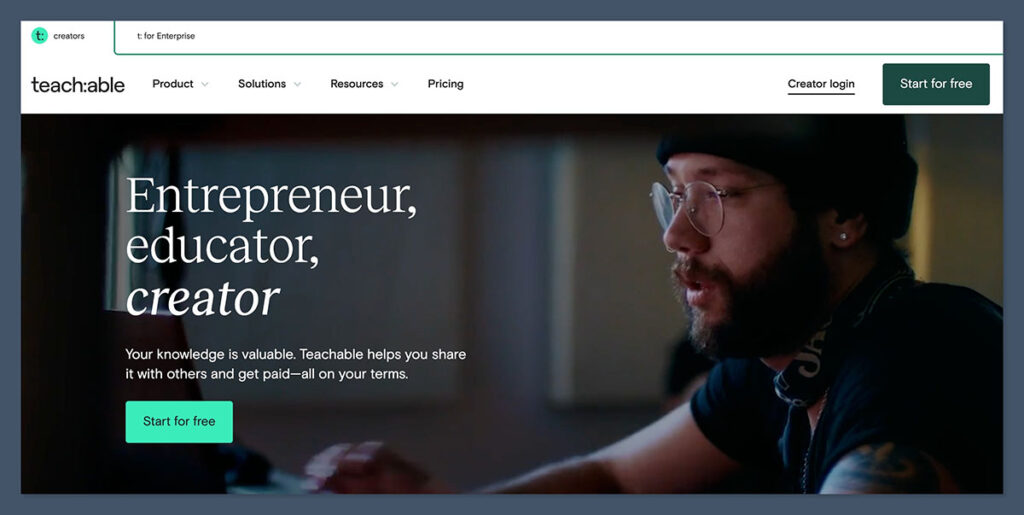
Getting started with Teachable is refreshingly quick. You can sign up with just an email address and be building your first course in under ten minutes.
The onboarding flow asks a few basic questions about what you plan to sell and your experience level, then drops you straight into a clean dashboard with a setup checklist.
The course builder is genuinely intuitive. I could upload videos, add text lessons, embed quizzes, and attach downloadable files without ever consulting a help doc.
The curriculum structure is logical — sections contain lessons, and you can drag and drop to reorder everything. For anyone building a structured learning pathway, whether for students, employees, or personal development clients, Teachable makes it easy to think in terms of learning journeys rather than just content buckets.
That said, once you move beyond course content into site design and marketing, the limitations start to show.
The page builder is functional but restrictive — you can customize colors, fonts, and basic layouts, but don’t expect the creative freedom you’d get from a dedicated website builder. For creators whose brand identity is central to their student experience, this will be a real friction point.
How Much Does Teachable Cost?
Teachable restructured its pricing in mid-2025, introducing clearer tier definitions and adjusting transaction fees. Here’s how the current plan structure breaks down:
- Free — Limited products and student capacity; Teachable branding included. Best for testing an offer or high-ticket coaching where per-sale fees are tolerable.
- Starter (~$39/month billed annually) — Removes some restrictions but includes a transaction fee per sale (around 7.5%). Suitable for new creators just gaining traction.
- Pro/Builder (mid-tier) — Removes platform transaction fees while unlocking most growth features. Consistently flagged by independent reviewers as the best value tier for serious creators.
- Business/Advanced — For scaling course businesses that need advanced reporting, custom user roles, and priority support.
Watch Out for Hidden Costs
Teachable’s sticker price isn’t the full picture. If you use the BackOffice add-on (which handles affiliate payouts, tax forms, and compliance), there’s an additional fee per transaction — recent analyses cite a 2% BackOffice fee plus a fixed ~$15 chargeback fee. Once you factor in those costs alongside third-party tools for email marketing, community, and advanced funnels, the total cost can approach that of more comprehensive all-in-one platforms.
The sweet spot for most growing creators is the Pro/Builder plan: transaction fees disappear, core features are unlocked, and you’re not yet paying the premium for features you may not need.
Core Features
Course Builder
The drag-and-drop course builder supports video, audio, text, quizzes, and downloadable files. You can mark individual lessons as “Public” to offer free previews — a useful conversion tool. The curriculum structure is straightforward and works well for building sequential learning pathways, which is exactly what self-directed learners need to make consistent progress.
Product Types
Beyond traditional courses, Teachable supports digital downloads, one-on-one coaching packages, product bundles, and school-wide or tiered memberships. Each product can carry multiple pricing options — one-time payments, installment plans, subscriptions, and coupons — giving you real flexibility to match how your audience wants to buy.
Checkout and Payments
Teachable’s built-in checkout is one of its standout strengths. It handles tax and VAT automatically across global markets, supports 130+ currencies, and integrates with Teachable Payments for streamlined payouts. Order bumps and upsells are available on higher plans, letting you increase average order value without a separate checkout tool.
Analytics
You get dashboards for revenue, enrollments, and student progress. It’s enough for most creators to understand what’s selling and how students are moving through content, but falls short of the granular learner analytics you’d find on a dedicated LMS. Zapier and webhook integrations on higher plans let you push data to external tools if you need deeper reporting.
AI and Automation (New in 2025)
Teachable has made a genuine push into AI-assisted course creation. The platform now offers AI tools to help draft quizzes, generate study guides, and outline new courses — a real time-saver for educators who are subject matter experts but find content structuring tedious. There’s also an experimental “MCP Server” concept that connects large language models directly to your school data, though this is still early-stage for most users.
Localization
One underrated 2025 update: one-click interface translations into Spanish, French, and Portuguese, with more languages coming. If you’re building a learning pathway for a global audience, this reduces a significant chunk of manual localization work.
Student Experience
The student-facing side of Teachable is clean and modern. The course player is well-designed, mobile-friendly, and visually appealing — students can focus on learning rather than fighting the interface.
Progress tracking is clear, and the lesson preview feature helps prospective students understand what they’re buying before committing.
Where the student experience falls short is in depth of engagement. Quizzes are basic, there’s no native community or discussion feature, and gamification elements (badges, leaderboards, certificates with real weight) are either minimal or absent.
For a platform used by people building structured learning pathways, this is a meaningful gap — the best learning experiences involve active retrieval, social accountability, and a sense of progress beyond a progress bar.
Pros and Cons in Detail
What Users Love
Across review platforms, Teachable consistently scores around 4.0–4.3 out of 5, with ease of use as the dominant strength.
Creators praise how quickly they can go from zero to a live, sellable course — without needing a developer or designer.
The payment and tax handling is frequently highlighted as a genuine relief for creators who don’t want to deal with the compliance overhead of global selling.
Where Teachable Falls Short
The most consistent complaints in user reviews center on three areas:
- Support quality — Smaller users often feel underserved, with slow response times and generic answers.
- Fee complexity — Transaction fees, BackOffice fees, and chargeback costs feel punitive to creators with thin margins or high refund rates.
- Platform depth — Long-time users report “outgrowing” Teachable when they need richer communities, more complex automation, or more affordable scaling options.
How Does Teachable Compare to Competitors?
To help you find the right platform for your learning business, here’s how Teachable sits against a full all-in-one platform (like Kajabi) and a feature-rich LMS (like LearnWorlds):
| Aspect | Teachable | All-in-One (e.g. Kajabi-style) | Feature-Rich LMS (e.g. LearnWorlds-style) |
|---|---|---|---|
| Primary Strength | Fast, simple course selling under your brand | Integrated marketing, funnels, and CRM | Deep engagement and learning tools |
| Ease of Use | Very high — ideal for non-technical creators | Moderate — more powerful but more complex | Moderate — more settings and options |
| Pricing Structure | Lower entry price; transaction and BackOffice fees on some tiers | Higher flat subscriptions; fewer or no per-sale fees | Similar subscriptions; often no per-sale fees but more paid add-ons |
| Site Customization | Moderate; Teachable branding on lower tiers | Highly branded with more theme and page flexibility | Good branding plus more control over learning paths |
| Engagement Tools | Basic quizzes; no native advanced gamification | Better community and automations; still not full LMS depth | Strong assessments, certificates, and gamification |
| Best For | Solo creators and small course businesses wanting simplicity | Creators building a full content-and-funnel business on one system | Educators who prioritize pedagogy, engagement, and learner analytics |
If your priority is launching quickly and selling a course or coaching program without technical headaches, Teachable wins on simplicity and speed.
If you’re building a serious learning pathway product — one where learner outcomes, engagement depth, and certification matter — a dedicated LMS like LearnWorlds may serve you better despite the steeper learning curve.
Who Should Use Teachable?
Teachable is a great fit if you are:
- A new or busy creator who values ease of setup over deep customization
- Selling courses, digital downloads, coaching, or memberships to a small or growing audience
- Based outside the US and want automatic VAT and global tax compliance handled for you
- Looking to test a course idea before investing in a more complex platform
You may want to look elsewhere if you are:
- Building a community-centric learning experience where discussion and peer accountability matter
- Scaling to a large catalog and worried about per-sale fees cutting into profits
- An enterprise or institutional buyer who needs SCORM/xAPI compliance and granular reporting
- A creator who wants full creative control over your site design and brand experience
Teachable Review Verdict
Teachable earns its reputation as one of the most accessible and reliable platforms for selling online courses.
In 2026, it’s a polished product with a steadily improving feature set, excellent payment infrastructure, and new AI tools that genuinely save time during content creation.
For educators building structured learning pathways — whether for personal development, professional upskilling, or academic enrichment — it provides a solid, low-friction launchpad.
The caveats are real, though. Fee complexity can erode margins for high-volume or lower-priced courses, the engagement toolkit isn’t deep enough for educators who take pedagogy seriously, and support quality remains a recurring complaint.
These aren’t dealbreakers for every creator, but they’re worth stress-testing against your specific use case before you commit.
Bottom line: If simplicity, speed to market, and reliable payments matter most to you, Teachable is an excellent choice. If learner engagement, community, and advanced learning analytics are central to your vision, explore specialist LMS platforms alongside it before deciding.